


Today we're releasing Mimik, an open-source browser extension that auto-captures whatever you do in a tab and turns it into a step-by-step guide with annotated screenshots.
It runs entirely in the browser, with no backend, no account, and no telemetry. MIT licensed. Install it from the Chrome Web Store, Firefox Add-ons, or Edge Add-ons, or grab the source on GitHub.
You can also explore Mimik alongside the other tools we publish on the Westpoint Open Source Projects page.
Why we built it
We kept writing the same doc. New hire joins, someone records a Loom. Customer asks how to do X, someone writes it up again in Notion. A week later the UI shifts and the screenshots are wrong, so we'd record it one more time.
Mimik started as the lazy fix. Scribe, Tango, and Guidde solve the same problem with hosted accounts and per-seat pricing. We wanted something we could install once and forget about.
What it does
Click record, do the workflow, click stop. You get a clean guide with one step per action, an annotated screenshot per step, and an AI-generated description of what happened. Edit any step in the side panel, then export to HTML, PDF, or Markdown. Or replay it on a live page with Guide Me mode.
.gif)
How it works
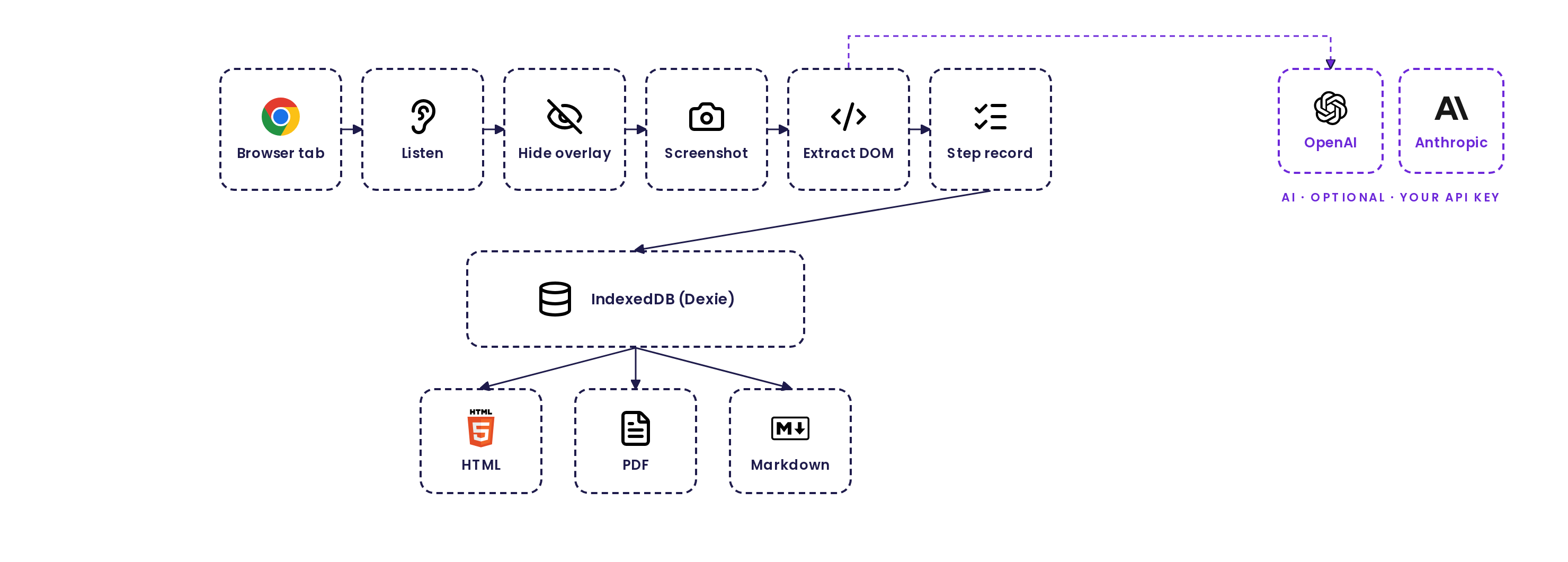
Three pieces, all running in your browser:
- Capture pipeline. A content script listens for clicks, keystrokes, and SPA navigation. Each event is serialized through a queue: hide the highlight overlay, screenshot the visible tab, write the step to IndexedDB, continue. Typing into a field collapses into a single step.
- DOM context for AI, not screenshots. Instead of sending a 1280x800 PNG to the model for each step description, Mimik extracts around 100 tokens of structured DOM around the target element: page title, form, heading, and sibling inputs. The model sees the page's structure, not its pixels, and the descriptions are usually better.
- Local storage. Guides, steps, screenshots, and DOM contexts persist to IndexedDB through a single Dexie database. Exports are generated client-side from the same data.
What's in v1
The capture handles clicks, typing, and SPA route changes, and it collapses a burst of keystrokes into one "typed X into Y" step instead of one step per character. Step descriptions and guide titles are written by your own OpenAI or Anthropic key when you turn AI on. Smart blur covers the obvious PII before you export, with regex presets for emails, phones, card numbers, and JWTs, plus a click-to-blur picker for anything else.
You can reorder, edit, or delete any step in the side panel. When the guide looks right, export to self-contained HTML, PDF, or Markdown, or hand it to a teammate and have them walk through it on the live page with Guide Me mode. The same extension ships to Chrome, Firefox, and Edge from one codebase.
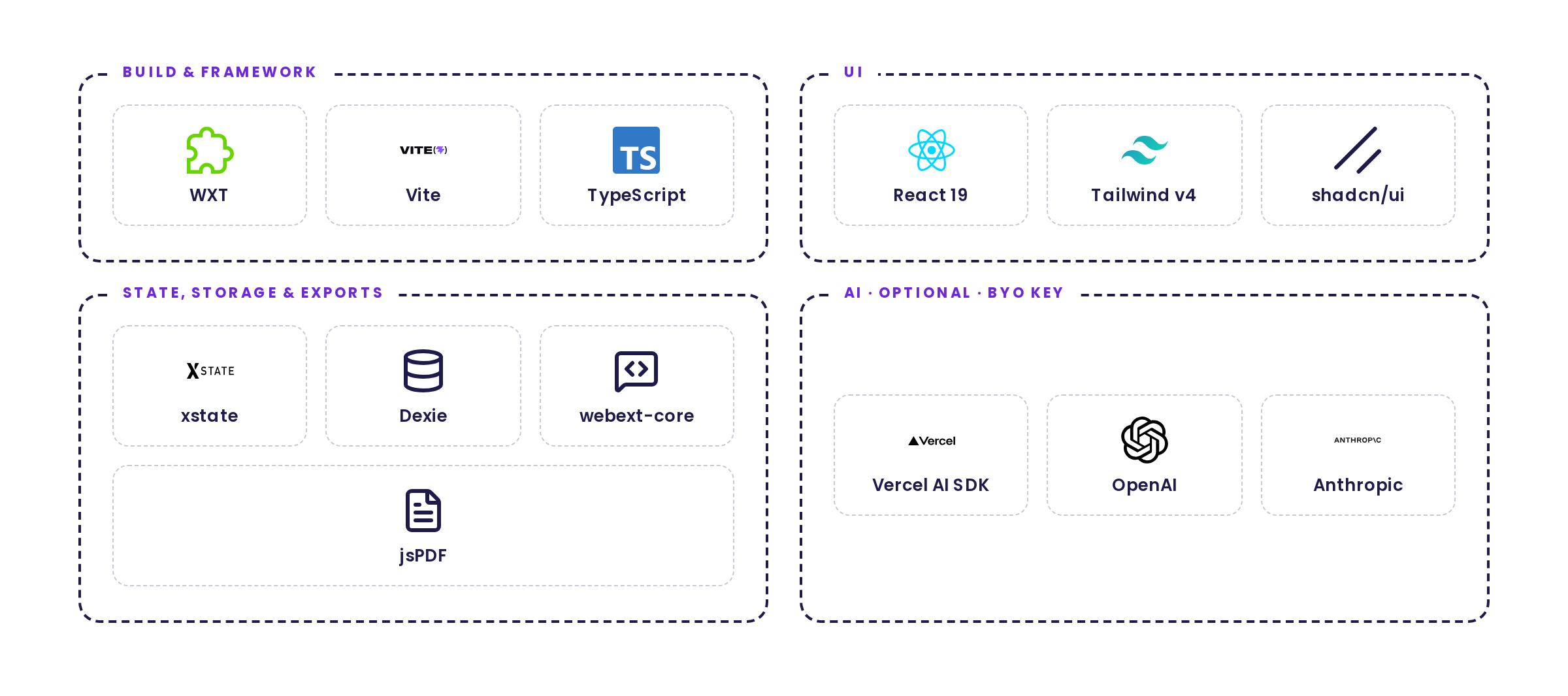
Built with
Try Mimik
Install: Chrome · Firefox · Edge
Source, issues, and roadmap: github.com/westpoint-io/mimik · MIT